
Acellus courses are taught by teachers that have expertise in conveying knowledge, and even “hard to grasp” concepts, through video instruction. Through the combination of excellent instruction and immediate feedback, students are quickly able to start experiencing success within their coursework. Each course is broken up into small concise concepts, and assessments are presented to students after each concept video, keeping the learner engaged in the interactive learning process. The results of the assessments allow Acellus to identify specific gaps in the students’ understanding, and to then fill in those gaps with targeted instruction. This data is also immediately delivered to the teacher overseeing students enrolled in the course, allowing them to help students right when the need is identified.
Global Student Access
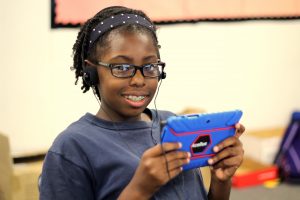
Students are able to log into Acellus over the web, from school or home. Acellus automatically keeps track of the students’ position in each course of study, and adapts the course to their individual skill level, and learning style.
 Students are able to access Acellus courses through the intuitive student interface. After students log into Acellus, they are able to select from the list of classes. Acellus takes them right to their current position in the course they have been enrolled in, and automatically marks their attendance for the class.
Adaptive Instruction
Acellus classes are broken into small concepts, and each concept is taught via video instruction. Videos are short and concise, and designed to convey just one concept. After the instruction, the student is given an assessment designed to determine the students’ mastery of the concept presented. If the student shows mastery on that topic, they are moved forward to the next lesson. However, if additional help is required, another video will be delivered automatically, targeting the deficiency in the students’ understanding. The teacher responsible for overseeing the class will also be alerted via the Live Class Monitor.
In the resource section of the class, the student can at any time watch additional instruction on the concept. They also have access to the Notebook for the course, which keeps electronic notes for the students, and is available for review any time throughout the course, except on unit exams, the mid-term and the final.
Engaging Content
The Acellus courses are constantly being updated, and enhanced, based on the statistical data brought in from the field from the student usage. The lessons, assessments, and additional course material is evaluated through the Acellus Courseware Development engine, and content is optimized to most effectively reach students.
Acellus courses are taught by expert teachers, who are masters at engaging with the students through the camera – making the instruction relevant and exciting.

Acellus Sample Lessons

Epic Moments in World History
The Boston Tea Party

Kindergarten Science
More Types of Weather
French I
Alphabet
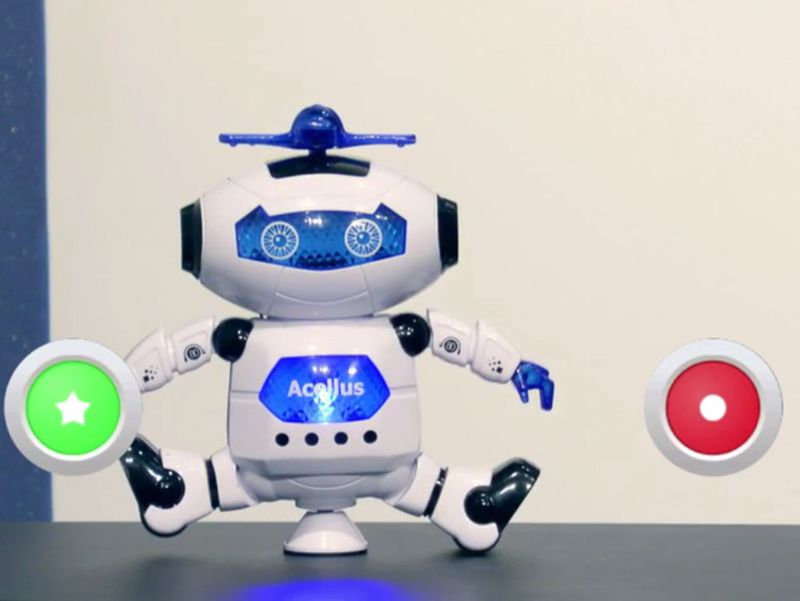
Introduction to Coding
Dancing Robot
The Acellus Student Interface
Progress

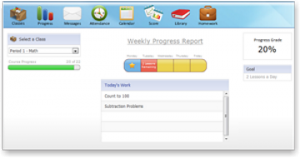 The Acellus Progress tool acts as a student motivator. Here students are able to see their progress on their teacher-assigned goals for the week and the topics that will be covered in their Acellus class for the day, as well as their overall progress through the course.
Messaging

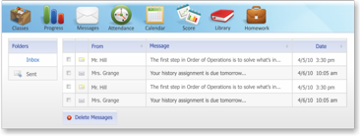 The Acellus Messaging tool allows students and teachers to communicate with each other, whether at home or at school.
Attendance

Acellus’ built-in attendance tool makes the roll call. Students can evaluate their attendance for their classes as well as present their attendance to their parents.
Calendar

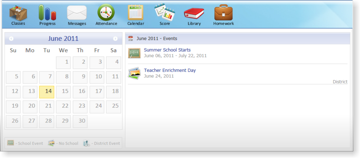 All school events posted on the Acellus Calendar are available to students (and teachers) wherever the Internet is available. With the click of a button, students have access to the most up-to-date list of school events for the month.
Gradebook

Students can view their grades as well as their GPA at any time with the Acellus Score tool. They can also see which classes they are falling behind in.
Library

The Acellus Library offers hundreds of additional educational material, including early readers, classic books, and videos. Students may browse the Acellus library at any time for additional resource material — almost like an educational version of YouTube.
Special Lessons

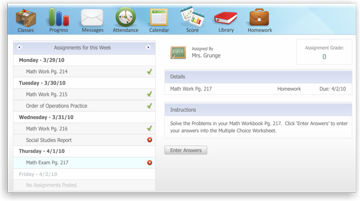 The Acellus Special Lessons tool allows teachers to upload custom homework, and onsite lessons, to enhance the Acellus course material. Homework assignments can be submitted to teachers through the special lessons button, and the grades seamlessly integrated into the Acellus Gradebook.